Customer ExperienceDelight customers with a secure client portal
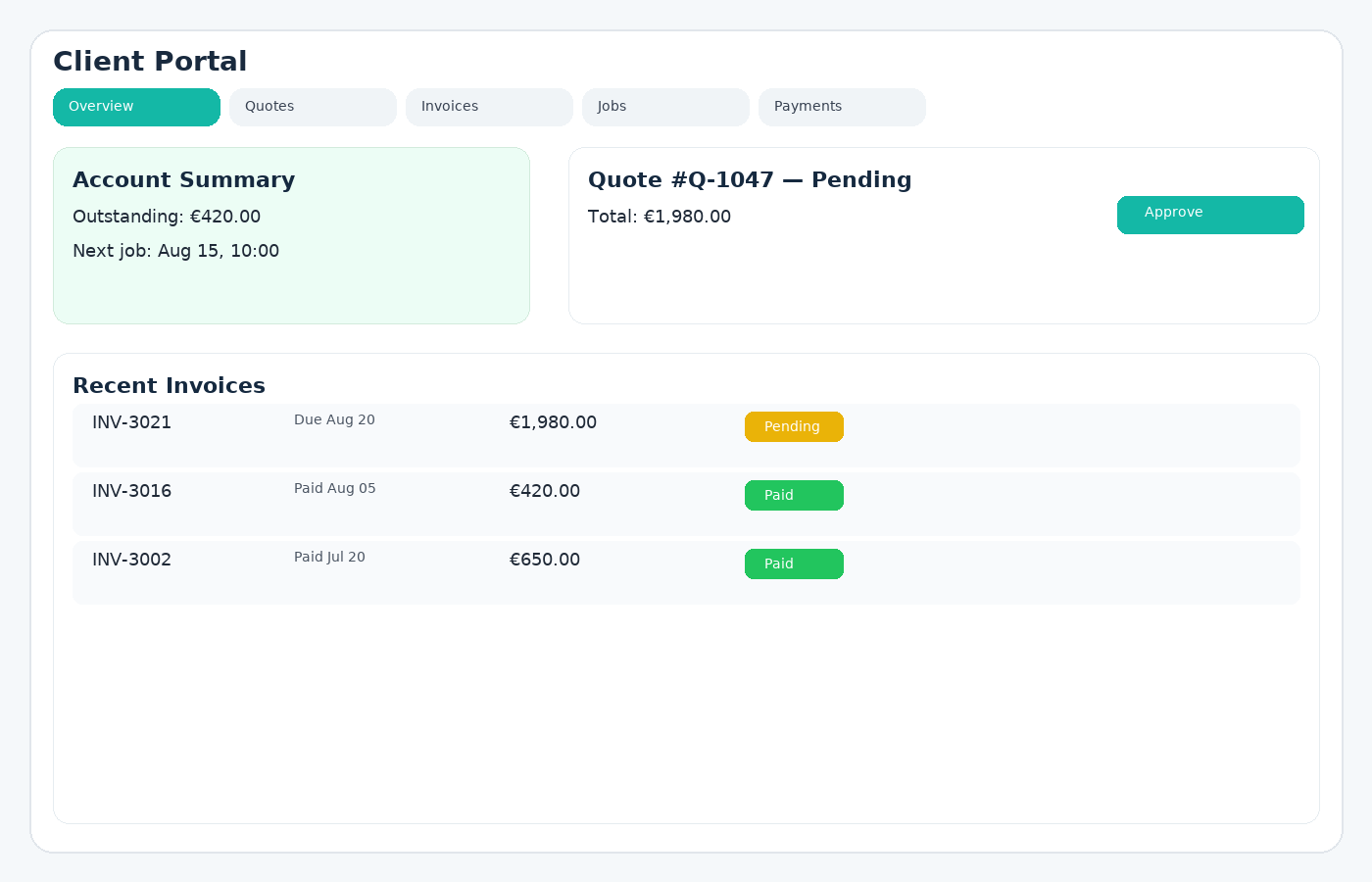
Make it easy for clients to view quotes and invoices, approve work, request new jobs, refer friends, and pay online without back-and-forth.
Highlights
A quick snapshot of what you can do.
Happy clients
Reduce friction, increase trust, and give customers a modern way to interact with your business.
All docs in one place
Quotes, invoices, and a clear history-always up to date, no hunting through inboxes.
Real-time updates
Approvals, payments, and portal actions sync instantly to your workspace.
Request new work
Capture structured client work requests 24/7 from the same portal link.
Referrals built-in
Turn happy customers into a growth engine with a simple ‘Refer a friend’ flow.
Secure access
Share unique, authenticated links; revoke or regenerate access anytime.
Shareable links
No attachments to lose-send a single source of truth that always stays in sync.
Email notifications
Keep everyone informed with automatic emails and in-app notifications when clients take action.
How it works
Simple steps to get powerful results.
Share portal link
Send secure portal access to your client.
Review docs
Clients see quotes, invoices, and job details clearly in one place.
Approve, request & refer
Clients approve quotes, request new work, and refer friends without emailing.
Pay & track
Clients pay invoices online while you track statuses, notifications, and activity in real time.
Key Benefits
What you get out of this feature - fast.
Faster approvals
- View quotes online
- Approve with one click
- Reduce delays and missed messages
Get paid sooner
- Secure payment links
- Clear status on every invoice
- Automatic ‘paid’ updates
Professional experience
- Branded portal with your logo
- Consistent, modern experience
- 24/7 access for clients
Less admin
- Fewer email threads
- Live statuses instead of spreadsheets
- Single source of truth for client activity
Self-serve work requests
- Clients submit structured job requests
- Preferred dates and details captured
- Convert to quotes or jobs in a few clicks
Built-in referrals
- Capture referrals directly from the portal
- Track who referred whom
- Support simple reward or loyalty schemes
Mobile-friendly
- Great on phones and tablets
- Easy approvals on the go
- Quick payments from anywhere
Easy adoption
- Share secure magic links
- No passwords for clients to remember
- Simple onboarding for your team
What is the Client Portal?
The Client Portal gives your customers a secure, branded space to view quotes and invoices, approve work, request new jobs, refer friends, and pay online-without juggling email threads or attachments. Everything stays in sync with your GoTaskhub dashboard to reduce admin, capture more opportunities, and speed up cashflow.
Owner / Manager
Deliver a polished, modern customer experience while reducing delays. See approvals, payments, and new job requests update in real time.
Office / Admin
Send one secure link instead of multiple attachments. Fewer back-and-forth emails, clearer status tracking, and structured client requests and referrals.
Customer
Open a single link to review quotes and invoices, approve instantly, pay online, request new work, and refer friends-any time, on any device.
Common use cases
- Quote approvals: Clients review scope and cost online and approve with one click-no printing or scanning.
- Invoice payments: Share a secure payment link so customers can settle immediately with cards or supported methods.
- Self-serve history: Reduce “can you resend?” requests by giving 24/7 access to quotes and invoices.
- New work requests: Clients can submit structured “Request work” forms with preferred dates and details, which flow into your pipeline as jobs or leads.
- Referrals & word-of-mouth: Capture “Refer a friend” submissions from happy customers and track them in your referrals tab so you can reward repeat business.
- Fewer errors: One source of truth for totals, terms, statuses, and communication history.
Request new work (self-serve)
Instead of ad-hoc WhatsApp messages or lost emails, clients can use a simple “Request work” form inside the portal. They describe the job, add preferred dates and times, and you receive a structured request connected to their customer record.
- Capture new work requests 24/7.
- Keep everything tied to the right customer.
- Turn requests into quotes or jobs with a few clicks.
Refer a friend (built-in referrals)
Turn happy clients into your best sales channel. From the portal, they can refer friends, neighbours, or colleagues with a name, email, and notes. You’ll see these in your referrals tab and can follow up quickly.
- Capture referrals in a consistent format.
- Track which customers sent which referrals.
- Reward repeat business with simple, trackable incentives.
Email attachments vs links vs Client Portal
Email attachments get lost and go out-of-date. Share links are better, but still siloed and don’t handle requests or referrals. The Client Portal provides a single, authenticated place for clients to review, approve, request work, refer friends, and pay with real-time updates-no duplicate files, no confusion.
Pros
- Faster approvals and payments
- Reduced email back-and-forth
- Branded, professional experience
- Structured work requests instead of scattered messages
- Built-in referral capture to grow word-of-mouth
- Statuses and activity update automatically
Cons (and mitigations)
- Client login friction → use secure magic links so they don’t need passwords.
- Brand mismatch → upload logo & colors so the portal feels like your website.
- Approval delays → set clear expiry/validity on quotes and nudge with reminders.
- Low referral usage → add a simple “refer a friend” benefit in your emails and invoices.
- Unstructured requests → encourage clients to use the “Request work” button instead of texting.
Common pitfalls & how to fix them
- Link confusion: Send the portal link from one template email and pin it for the client so they always know where to go.
- No branding: Apply your logo/colors so clients trust the page instantly.
- Approval delays: Set clear expiry/validity on quotes and use reminders when quotes are viewed but not yet accepted.
- Payment questions: Include accepted payment methods and terms in the portal and on invoices.
- Requests lost in messages: Point customers to the portal “Request work” page instead of ad-hoc texts or DMs.
- Referrals not tracked: Use the “Refer a friend” form so you know exactly who referred whom and when.
Security & privacy
Access is protected via secure links and authentication. You can revoke access and control what each client can see-from documents to portal tools like requests and referrals. Activity history adds transparency, and exports provide controlled reporting.
Trade Client Portal & Self-Service Glossary
Essential terminology, customer self-service workflows, and digital approval practices used by modern trade contractors.
- Passwordless Magic Link
- A secure, single-click encrypted link sent via SMS or email that logs homeowners into their private project hub without needing to remember passwords.
- Digital Quote E-Signature
- Legally binding online quote acceptance where homeowners can review itemised lines, agree to terms, and sign with their finger or stylus on mobile.
- Integrated Deposit Checkout
- An immediate online payment step embedded right after quote approval, allowing property owners to pay material deposits instantly via card or Apple Pay.
- Live Milestone Tracking
- A real-time visual progress tracker allowing clients to see whether their job is Scheduled, In Progress, or Completed, reducing inbound phone queries.
- Proof of Work Gallery
- A transparent photo timeline where customers can view time-stamped before, during, and after site photos taken by tradespeople on their mobile devices.
- Variation Approvals
- When unexpected site issues arise, tradespeople can send an itemised variation quote directly into the portal for the homeowner to approve digitally before extra work starts.
- Centralised Document Vault
- A single permanent location where homeowners can download branded PDF quotes, VAT invoices, payment receipts, warranty certificates, and sign-offs.
- New Work Request Hub
- A frictionless self-service form inside the portal where existing repeat clients can request future maintenance, repairs, or quotes with pre-filled details.
- Automated Status Alerts
- Timely SMS and email notifications triggered when arrival windows are confirmed, milestones are reached, or invoices are ready for settlement.
- Client Referral Engine
- A built-in sharing feature allowing satisfied homeowners to refer friends or neighbours to your trade business via a branded recommendation link.
- Access Expiration & Security
- Time-limited authentication tokens that automatically expire and can be revoked at any time by the contractor to safeguard sensitive financial data.
- White-Label Trade Branding
- Customising the portal with your trade business logo, company colors, business registration number, and contact details for a premium client experience.
Customer reviews
Approvals, payments, new work requests, and referrals-without the email chaos.

Emma R.
★★★★★
Approvals are now one click and we get fewer questions. Clients love logging in and finding everything in one place.

Luca D.
★★★★★
Payments happen faster because customers can pay as soon as they view the invoice-no attachments or confusion.

Sofia M.
★★★★★
Branding the portal with our logo felt professional. The status updates and new work requests save us dozens of emails each week.
Frequently asked questions
Quick answers to common questions.
Q.Is the portal secure?
Q.Can clients see history?
Q.Can clients request new work through the portal?
Q.Can clients refer friends or neighbours?
Q.Can we brand the portal?
Q.Do approvals and payments update automatically?
Q.Does it work on mobile?
Learn how your customers approve quotes and pay invoices online in the client portal.