SchedulingJob scheduling for trades & service teams
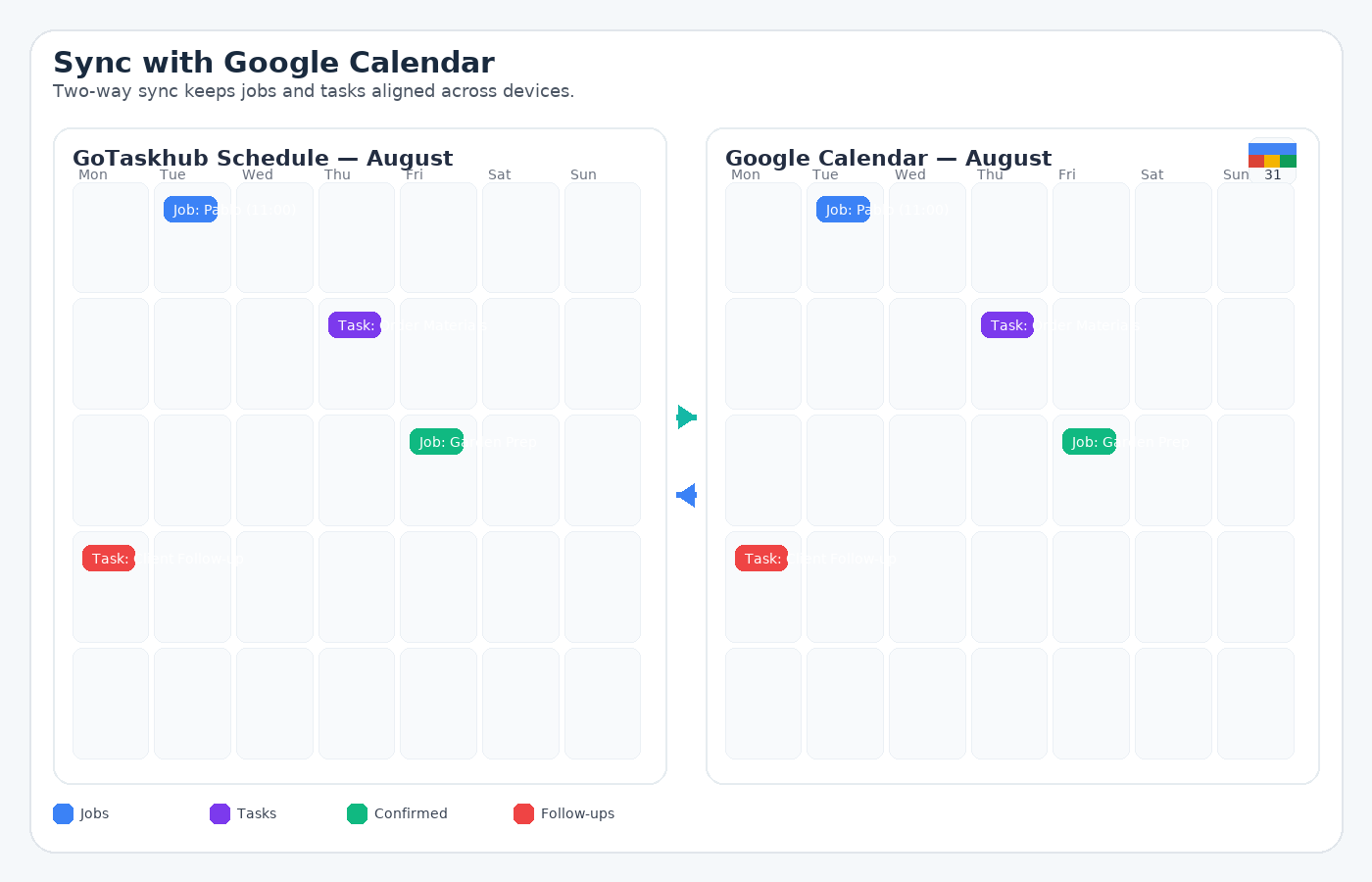
Stop double-booking and last-minute chaos. Schedule jobs and staff in GoTaskhub, sync instantly to Google or Outlook, and deep-link back to the job or task every time.
Highlights
A quick snapshot of what you can do.
Two-way sync
Accurate, real-time updates with Google & Outlook.
Multiple views
Switch seamlessly between Day, Week and Month.
Deep links
Open events to jump straight into jobs/tasks.
Field-ready
Mobile updates land instantly on shared calendars.
Scoped access
Grant only the permissions you need and revoke anytime.
Conflict-aware
See busy blocks and avoid double-booking.
How it works
Simple steps to get powerful results.
Connect Google or Outlook
Authorize once to enable two-way sync.
Schedule jobs and tasks
Add items with times and statuses in GoTaskhub, linked to jobs/tasks.
Stay aligned
Edits reflect on both sides automatically.
Avoid conflicts
See busy blocks before you book, then drag-and-drop to reschedule fast.
Key Benefits
What you get out of this feature - fast.
Clarity
- Reduce double-booking
- Color-coded statuses
- Clickable deep links
Flexible views
- Day, week, month
- Drag-and-drop
- Jump to details
On every device
- Syncs across devices
- Mobile-ready
- Works with your flow
Mixed environments
- Google & Outlook together
- Pick sync targets
- Respect busy time
Reliability
- Background sync
- Audit history
- Scoped permissions
Control
- Choose calendars
- Default targets
- User-level filters
Job scheduling for trades & service businesses (without double-booking)
Most scheduling problems aren’t “calendar UI” problems-they’re double-booking, last-minute changes, missing context, and the office and field team seeing different versions of the plan. GoTaskhub fixes this by keeping your job schedule aligned with Google or Outlook in real time, so everyone works from the same source of truth.
For end-to-end delivery, link scheduled items back to Jobs (work details), Tasks (checklists/steps), and keep the commercial steps aligned with Quotes and Invoices.
Simple job scheduling workflow (used by service teams)
- Create or approve the job: Start from an accepted quote so scope, pricing, and expectations are locked in.
- Schedule the job: Assign a date, time window, and team member in Jobs and instantly see availability.
- Check conflicts automatically: Busy time from Google and Outlook calendars is visible so you avoid double-booking.
- Track the work: Use Tasks for site steps, checklists, and handoffs.
- Complete and invoice: When the job is done, create the invoice and move on without rescheduling chaos.
Why this works: One source of truth for jobs, tasks, and calendars, no copy-pasting, no missed updates, no awkward rebooks.
What is calendar sync in GoTaskhub?
Calendar sync keeps your GoTaskhub schedule aligned with your external calendar in real time. Whether your team prefers Google Calendar, Microsoft Outlook, or a mix of both, two-way syncing ensures everyone sees the same plan and last-minute edits propagate automatically.
Owner / Manager
See the full picture before committing to dates. Conflicts surface early so workloads stay balanced.
Scheduler / Coordinator
Drag-and-drop in Day/Week/Month views. Deep-link into the job/task to adjust details instantly.
Field Team
Check your phone and go-updates from the office appear immediately in Google or Outlook.
Common use cases
- Field scheduling: Book site visits without clashing with personal calendars. Link each slot back to job details so everyone knows what’s happening on site.
- Team availability: See who’s free at a glance across mixed Google/Outlook setups.
- Rescheduling: Drag to a new slot; clients and staff stay aligned automatically.
- Time blocking: Protect focus time and avoid overbooking during busy periods.
Manual calendars vs. native two-way sync
Copy-pasting between tools creates errors and delays. Native two-way sync eliminates duplicate entry and guarantees your GoTaskhub schedule and Google/Outlook stay aligned-so bookings are trustworthy.
Pros
- True two-way sync (Google & Outlook)
- Conflict visibility before you book
- Fast drag-and-drop planning
- Mobile-ready updates for field teams
Cons (and mitigations)
- Multiple calendars → choose a single default target
- Busy/noisy views → filter by user or status
- Edits outside app → rely on two-way sync + audit trail
- Time-zone drift → enforce org time-zone in settings
Common pitfalls & how to fix them
- Wrong calendar selected: Set a default calendar and lock it for new items.
- Hidden conflicts: Enable busy-time reading from connected calendars.
- Unclear event titles: Include job/task IDs so events are traceable.
- Missed handoffs: Use deep links from events back into GoTaskhub.
Security & privacy
GoTaskhub requests the minimum calendar scopes required for two-way sync. You control which calendars are shared, and you can disconnect access at any time. Activity history helps audits and troubleshooting.
Calendar & Dispatch Glossary
Key scheduling, calendar sync, and field dispatch terminology explained for UK trade contractors.
Customer reviews
Plan clearly and keep everyone aligned-on Google and Outlook.

Emma R.
★★★★★
Two-way sync means our office and technicians finally see the same schedule. No more double-booking or missed changes.

Luca D.
★★★★★
We use Outlook internally and Google for shared resources-GoTaskhub handles both without friction.

Sofia M.
★★★★★
Day/Week/Month views make planning simple. Drag, drop, and it’s on everyone’s calendar instantly.
Frequently asked questions
Quick answers to common questions.
Q.Is it two-way?
Q.Which calendars are supported?
Q.How do you prevent double-booking?
Q.Can I choose which calendars to sync?
Q.Does it work on mobile?
Learn how two-way calendar sync, conflict detection, and schedule notifications work.